Spending getting away from you? Take Back Control
Set limits for dining, groceries, shopping—whatever you want. See where you stand at a glance. Simple as that.
Budgets that
actually help.
Budget by Category
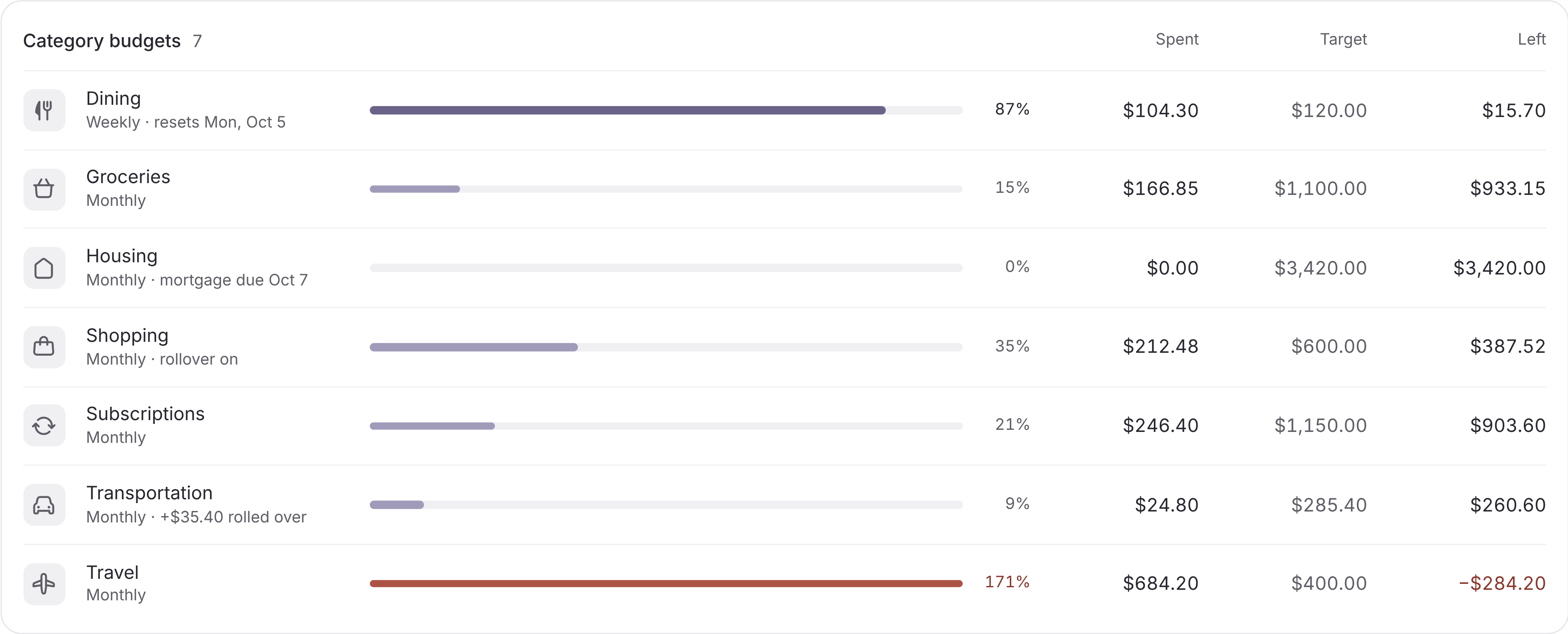
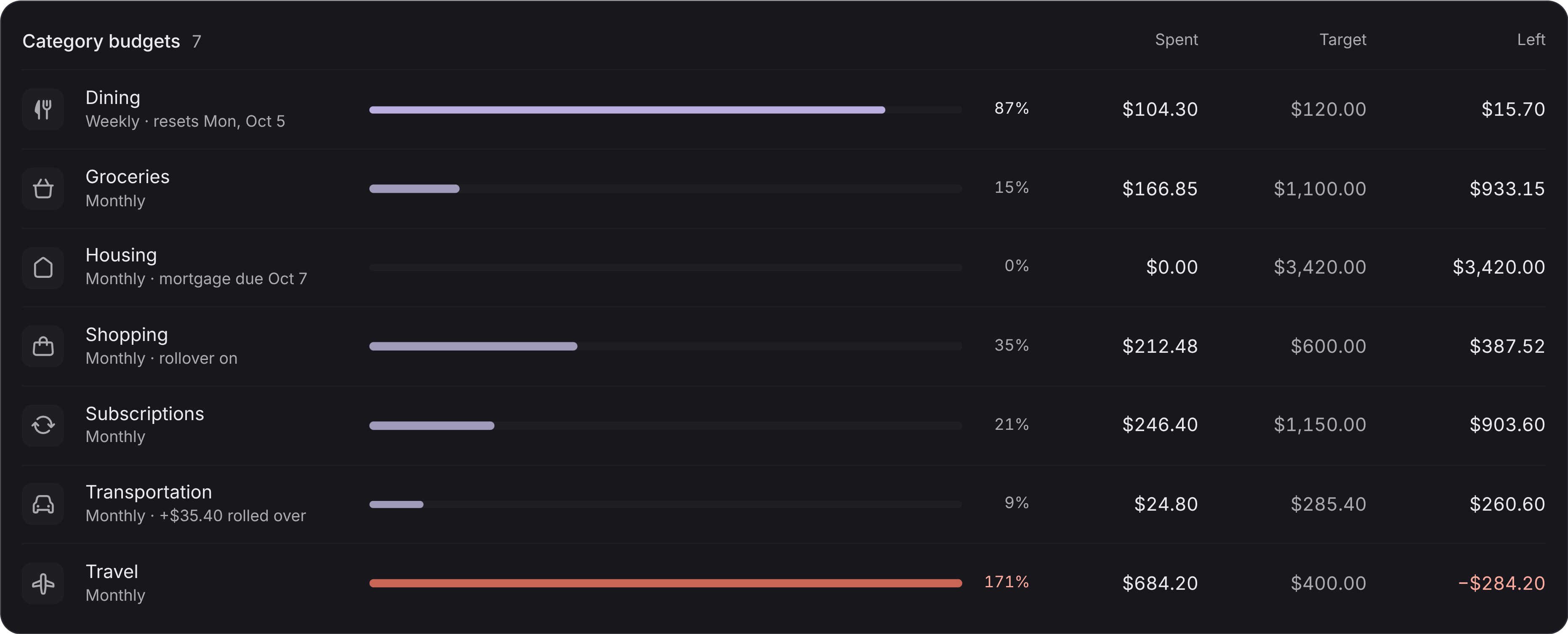
Set spending limits for dining, groceries, entertainment, shopping, and any other category. Track everything that matters to you.
Visual Progress Bars
See at a glance how much of your budget you have used. Color-coded bars make it easy to know where you stand.
Gentle Notifications
Get friendly alerts when you are approaching your limits. Awareness without anxiety—just helpful reminders.
Flexible Time Periods
Set weekly, biweekly, or monthly budgets depending on how you prefer to manage your money.
Rollover Options
Unused budget can roll over to the next period if you want. Reward yourself for staying under budget.
Spending Trends
See how your spending in each category changes over time. Spot patterns and celebrate improvements.
Ways folks
use it.
Control Dining Spending
Set a $400/month dining budget and track every restaurant visit, coffee shop stop, and takeout order in one place.
Manage Grocery Costs
Keep grocery spending in check with a weekly budget. See how much you have left before your next shopping trip.
Limit Entertainment
Movies, concerts, streaming services—set one budget for all entertainment and make choices that fit your goals.
Track Shopping Habits
Clothes, electronics, home goods—see all your shopping spending together and decide what is really worth it.
Got
questions?
How is this different from merchant budgets?
Category budgets track broad spending areas like "Dining" or "Shopping" across all merchants. Merchant budgets (Pro feature) let you set limits for specific stores like Amazon or Starbucks. Both work together for complete control.
How many category budgets can I create?
Unlimited. Create budgets for as many categories as you want. Most users start with 3-5 key categories and add more as needed.
What happens when I exceed my budget?
You will see the budget bar turn red and get a notification. We never block spending—this is about awareness, not restrictions. Overspending one month does not affect the next.
Can I change my budget mid-month?
Yes. Adjust your budget anytime. Life happens, and your budgets should be flexible enough to adapt.
Does budget rollover work automatically?
You can enable rollover for any budget. Unused amounts carry forward to the next period, giving you a little extra cushion.
Is this feature available on Free?
Category Budgets require Warm Plus or Pro. Free tier includes basic spending summaries but not budget tracking.
Related Features
Explore more ways Warm helps you understand your finances.